


AdGuard DNS Team (Global) (PC / Mac / Android / iOS) 200 Devices 1 Year - Digital Key
Região: Global

Plataforma: AdGuard
Região
Plataforma
Funciona em
Global
 Escolha da Driffle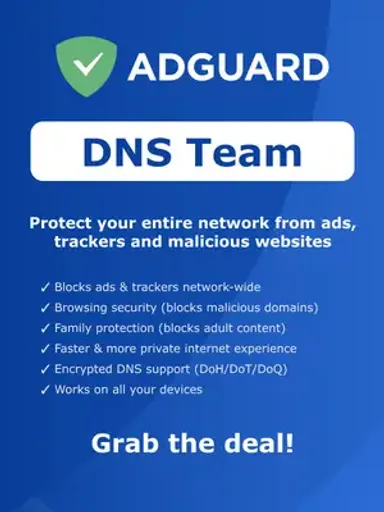
:

Avaliação do vendedor 4.4
Avaliação do vendedor 4.4
Descrição do produto
Sobre AdGuard DNS Team (Global) (PC / Mac / Android / iOS) 200 Devices 1 Year - Digital Key
AdGuard DNS Team provides centralized network-level protection designed for teams, organizations, and shared environments. It helps block ads, trackers, and malicious domains while giving administrators greater control over web traffic through a convenient online dashboard.
Key Features
- Network-Level Protection: Filter DNS requests to block ads, trackers, and domains associated with malicious content.
- Centralized Management: Manage DNS protection, filtering settings, servers, and connected environments from one dashboard.
- Ad & Tracker Blocking: Reduce intrusive advertising and limit tracking requests across supported network connections.
- Malware Protection: Help prevent access to domains associated with phishing and other potentially harmful online content.
- Custom Filtering Rules: Configure personalized allowlists, blocklists, and filtering rules to suit your organization's requirements.
- Multiple Server Configurations: Create and manage different DNS configurations for flexible network setups.
- Dedicated DNS Addresses: Use dedicated IPv4 addresses for convenient network configuration and management.
- High Request Capacity: Supports substantial DNS traffic for environments with multiple connected users and devices.
- Broad Platform Support: Compatible with common platforms and network setups, including Windows, Mac, iOS, and Android.
Activation Guide
- Purchase the product and retrieve your digital license key from your order.
- Visit your AdGuard Account and sign in, or create an account if you do not already have one.
- Open the Licenses section in your account.
- Select Bind license and enter the license key you received.
- After successfully binding the license, open AdGuard DNS from the Products section of your account.
- Access the AdGuard DNS dashboard and configure your servers, filtering preferences, and custom rules.
- Connect your supported devices or network equipment using the DNS configuration provided in the dashboard.
- Once configured, DNS requests will be processed according to your selected protection and filtering settings.
AdGuard DNS Team offers a practical way to manage network-level ad blocking, privacy protection, and malicious-domain filtering from a centralized dashboard. With flexible configurations and customizable filtering controls, it is a suitable solution for teams and organizations seeking greater control over their online environment.
Outros detalhes
- EditorasAdguard
- DesenvolvedoresAdguard
Escolha da Driffle:
Avaliação do vendedor 4.4
Avaliação do vendedor 4.4
Descrição do produto
Sobre AdGuard DNS Team (Global) (PC / Mac / Android / iOS) 200 Devices 1 Year - Digital Key
AdGuard DNS Team provides centralized network-level protection designed for teams, organizations, and shared environments. It helps block ads, trackers, and malicious domains while giving administrators greater control over web traffic through a convenient online dashboard.
Key Features
- Network-Level Protection: Filter DNS requests to block ads, trackers, and domains associated with malicious content.
- Centralized Management: Manage DNS protection, filtering settings, servers, and connected environments from one dashboard.
- Ad & Tracker Blocking: Reduce intrusive advertising and limit tracking requests across supported network connections.
- Malware Protection: Help prevent access to domains associated with phishing and other potentially harmful online content.
- Custom Filtering Rules: Configure personalized allowlists, blocklists, and filtering rules to suit your organization's requirements.
- Multiple Server Configurations: Create and manage different DNS configurations for flexible network setups.
- Dedicated DNS Addresses: Use dedicated IPv4 addresses for convenient network configuration and management.
- High Request Capacity: Supports substantial DNS traffic for environments with multiple connected users and devices.
- Broad Platform Support: Compatible with common platforms and network setups, including Windows, Mac, iOS, and Android.
Activation Guide
- Purchase the product and retrieve your digital license key from your order.
- Visit your AdGuard Account and sign in, or create an account if you do not already have one.
- Open the Licenses section in your account.
- Select Bind license and enter the license key you received.
- After successfully binding the license, open AdGuard DNS from the Products section of your account.
- Access the AdGuard DNS dashboard and configure your servers, filtering preferences, and custom rules.
- Connect your supported devices or network equipment using the DNS configuration provided in the dashboard.
- Once configured, DNS requests will be processed according to your selected protection and filtering settings.
AdGuard DNS Team offers a practical way to manage network-level ad blocking, privacy protection, and malicious-domain filtering from a centralized dashboard. With flexible configurations and customizable filtering controls, it is a suitable solution for teams and organizations seeking greater control over their online environment.
Outros detalhes
- EditorasAdguard
- DesenvolvedoresAdguard
Região