

Last updated: 1 October 2026
The Witcher 3: Wild Hunt is already a great RPG, but the right mods can make it even better. You can improve combat, upgrade visuals, fix small annoyances, add new gameplay mechanics, and make Geralt’s journey through the Continent feel more immersive.
If you are looking for the best Witcher 3 mods, this list includes famous community favourites and newer mods made for The Witcher 3: Wild Hunt Remastered. From HD textures and better looting to new skill slots and unique combat features, these mods offer useful changes instead of just cosmetic upgrades.
The list focuses on mods that improve gameplay, quality of life, visuals, or immersion. It also highlights compatibility with the 2026 Remastered version, so you can choose the right files for your game.

Best Witcher 3 Mods: Quick Overview
- Best Bug Fix Mod: Brothers In Arms – Ultimate Edition
- Best Graphics Mod: The Witcher 3 HD Reworked Project NextGen Edition
- Best HUD Mod: Friendly HUD
- Best Looting Mod: Seamless AutoLoot Remastered
- Best Horse Mod: Immersive Horse Summon
- Best Gameplay Addition: Trophy Necromancy
- Best Immersion Mod: Reputation System
- Best Skill Customization Mod: Tab List More Slots
- Best Visual Upgrade for Long Distances: True Fire Remaster
- Best for New Players: Brothers In Arms and Friendly HUD
Compatibility note: The Witcher 3: Wild Hunt Remastered launched on September 29, 2026, with game version 5.00. Some older mods were made for the Classic or Next-Gen editions, so always download the version that matches your game. The Remastered-compatible versions listed below are identified where available.
13 Best Witcher 3 Mods
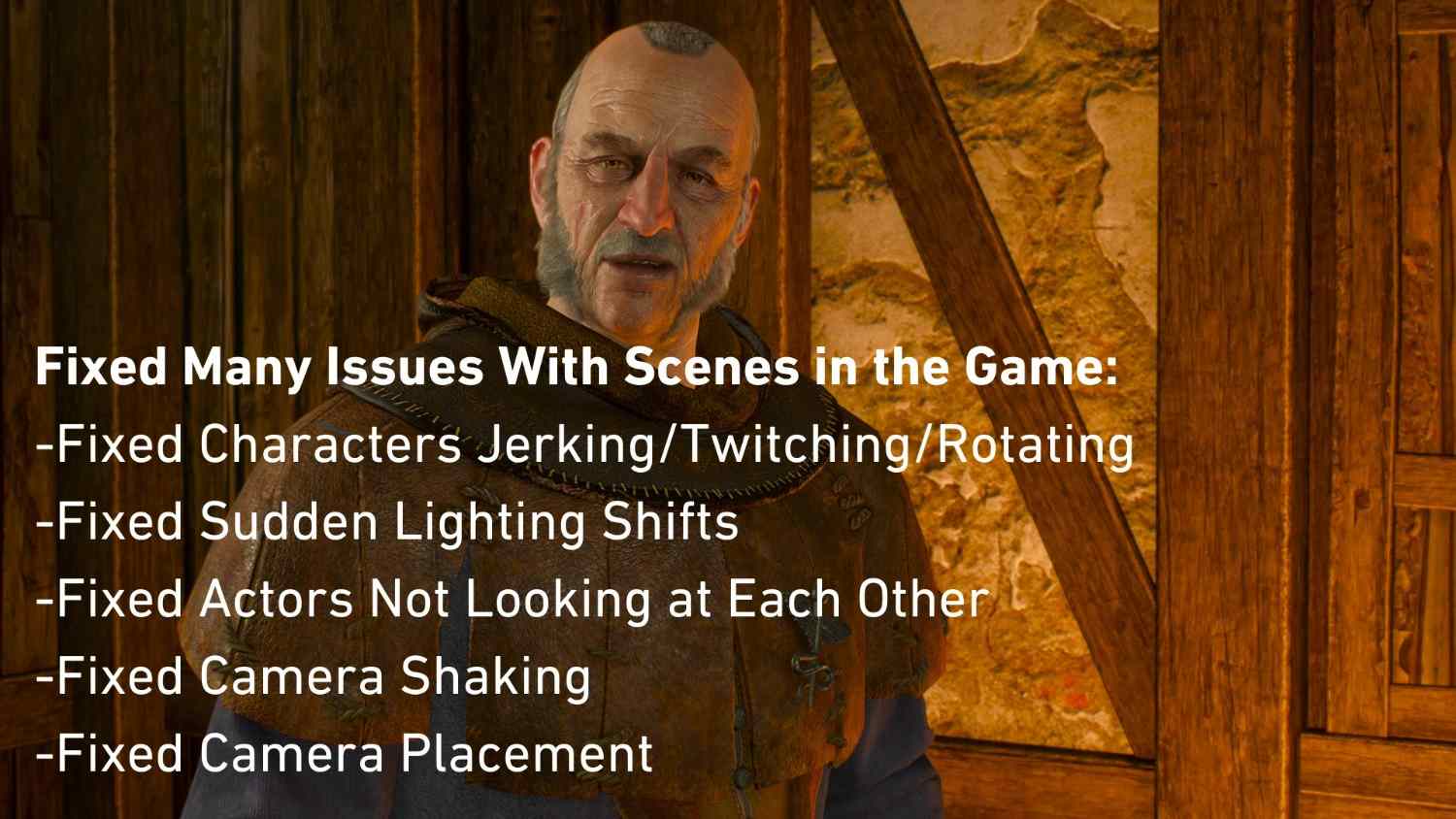
1. Brothers In Arms – Ultimate Edition
- Mod Type: Bug fixes and restored content
- Main Benefit: Fixes bugs and restores cut content
- Best For: A more complete and polished playthrough
- Remastered Support: Yes, a Remastered-compatible version is available
Brothers In Arms – Ultimate Edition is one of the first Witcher 3 mods worth installing. It brings together over 5,843 bug fixes and community fixes for missing details, while restoring content that did not make it into the original release. It is a strong choice if you want to improve the game without completely changing its original feel.
2. The Witcher 3 HD Reworked Project NextGen Edition
- Mod Type: Graphics and textures
- Main Benefit: Improves textures, models, terrain, and environmental details
- Best For: Players who want sharper visuals
- Remastered Support: Check the latest files and compatibility notes before installing
The Witcher 3 HD Reworked Project is one of the best-known graphics mods for the game. It improves the appearance of buildings, roads, objects, plants, and other environmental details without changing the story or core gameplay. If you want the world to look more detailed while keeping its original art style, this is one of the first Witcher 3 mods to consider.
3. (Remastered) Friendly HUD
- Mod Type: User interface and quality of life
- Main Benefit: Gives you more control over HUD elements and quest markers
- Best For: Exploration and immersive gameplay
- Remastered Support: Yes, version 0.9.3R supports Remastered patch 5.01
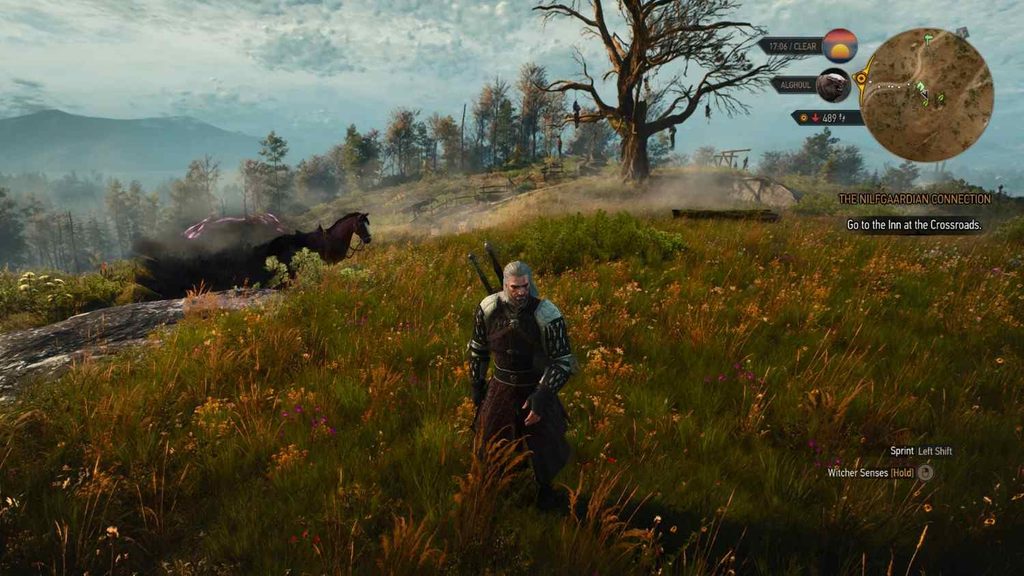
Friendly HUD lets you customize how much information appears on your screen. You can adjust HUD elements, manage quest and NPC markers, and make exploration feel less cluttered. It is useful if you want a cleaner screen while travelling through villages, forests, and monster-infested areas. Make sure you use the Remastered version rather than the older Classic or Next-Gen edition.

4. Seamless AutoLoot Remastered
- Mod Type: Looting and quality of life
- Main Benefit: Automatically collects nearby loot
- Best For: Players who want to spend less time opening loot menus
- Remastered Support: Yes, made for Remastered 5.00 and later
Geralt comes across plenty of containers, herbs, weapons, and enemy bodies during his journey. Seamless AutoLoot Remastered reduces the need to open each loot window manually. It also includes settings to control what gets collected and helps prevent unwanted looting, such as taking items that could count as theft. This makes it a useful addition for players who spend a lot of time exploring and gathering materials.
5. Immersive Horse Summon – Remastered Compatible
- Mod Type: Horse mechanics and immersion
- Main Benefit: Makes Roach’s summoning feel more natural
- Best For: Players who enjoy exploring on horseback
- Remastered Support: Yes, updated for patch 5.01
Roach can sometimes appear close to Geralt even when the horse should be far away. Immersive Horse Summon mod changes this behaviour to make travelling feel more believable. During parts of the story, the mod uses an in-game explanation for how Roach can reach Geralt, rather than simply making the horse appear out of nowhere. It is a small change, but it makes a difference if you want a more immersive adventure.
6. Reputation System – Remastered Compatible
- Mod Type: Gameplay and role-playing
- Main Benefit: Adds regional reputation based on Geralt’s behaviour and choices
- Best For: Players who want their actions to matter beyond quests
- Remastered Support: Yes, updated for patch 5.01
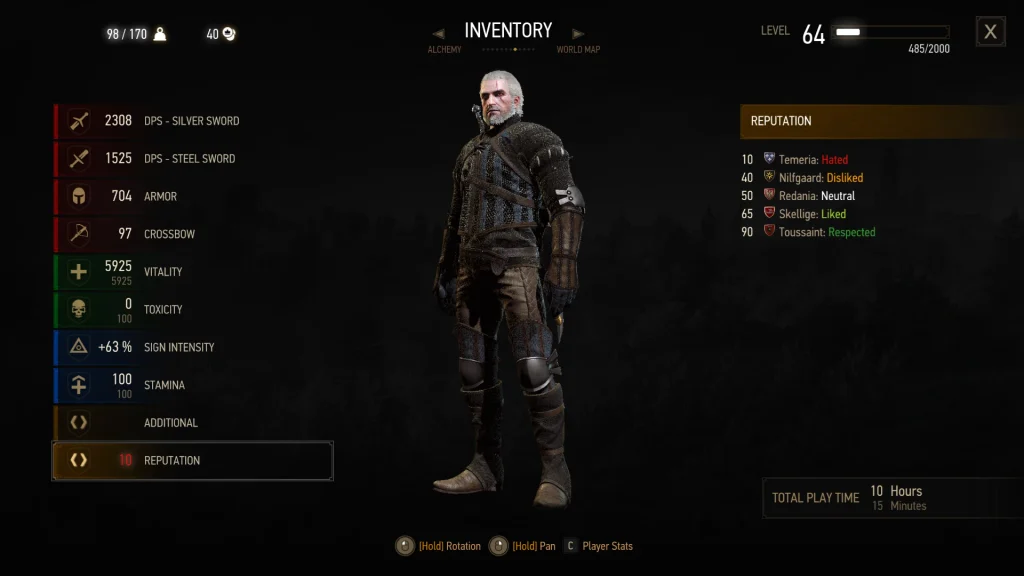
The Reputation System mod brings back a reputation mechanic that was cut from the original game. Geralt can gain or lose standing in different regions depending on his actions and decisions. Reputation levels range from hated to respected, and they can influence activities in the affected regions. It adds another layer to role-playing and makes the world feel more responsive to the way you play Geralt.
7. Trophy Necromancy – Remastered Compatible
- Mod Type: Combat and supernatural abilities
- Main Benefit: Lets Geralt summon creatures linked to collected monster trophies
- Best For: Players who want new combat options
- Remastered Support: Yes, updated for patch 5.01
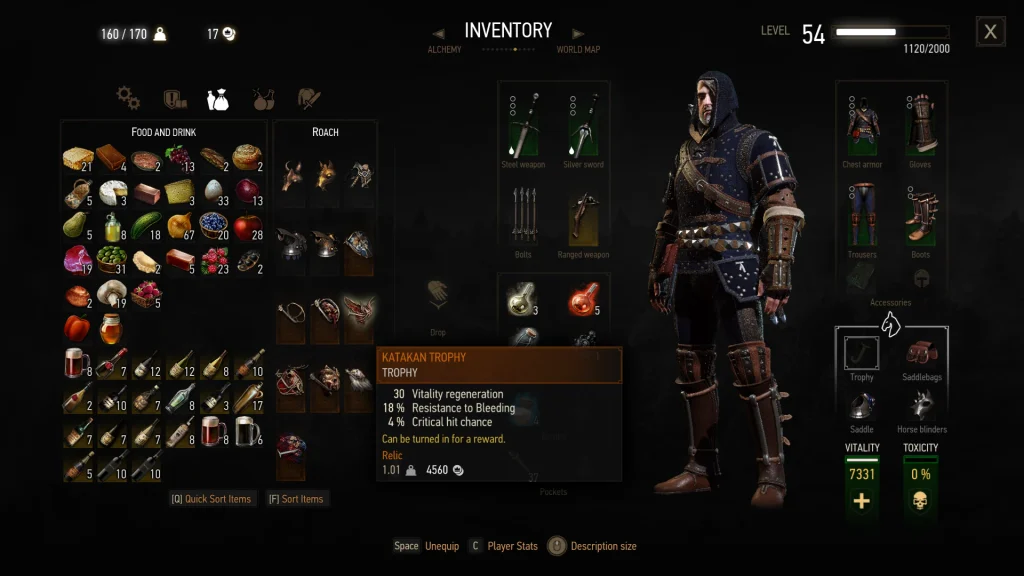
Trophy Necromancy gives monster trophies a new purpose. After obtaining and reading the required book, Geralt can equip it and summon a creature connected to an equipped trophy to help during combat. These creatures can gain experience and become stronger as you use them. It is a unique gameplay mod that adds a supernatural companion system to the usual sword fighting and Signs.
8. Tab List More Slots – Next-Gen v5 Edition
- Mod Type: Skills and character customization
- Main Benefit: Adds extra pages of skill slots
- Best For: Players who use many abilities and mutations
- Remastered Support: Yes, updated for the version 5 skill menu
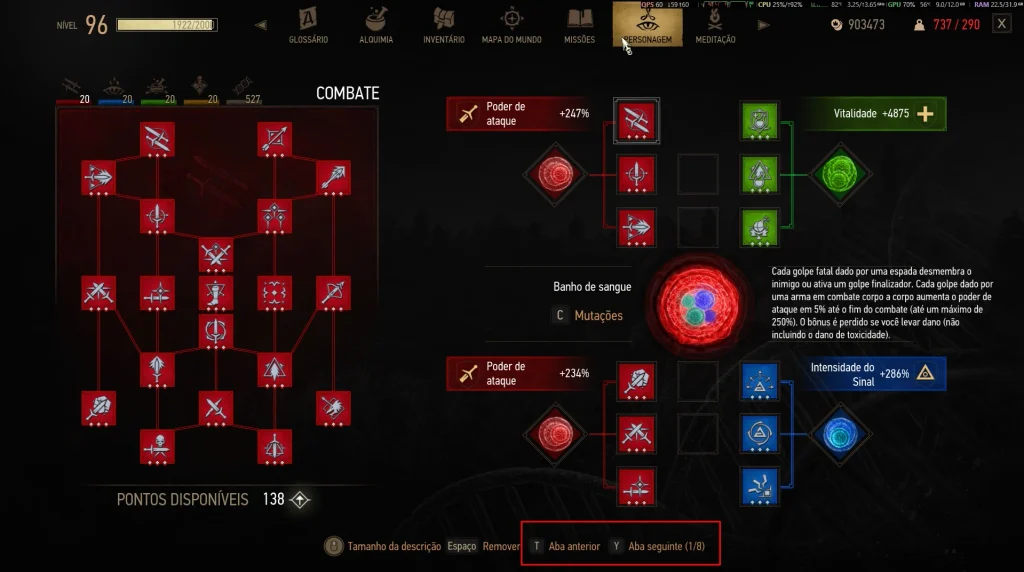
The original Slots Slots Slots mod is popular with players who want more freedom when building Geralt. This updated version brings that idea to the new version 5 skill menu, adding extra pages of skill slots and support for rare mutagens. You can switch between pages instead of constantly changing the abilities equipped in your active slots. It is especially useful for builds that rely on several combat skills, Signs, and mutations.
9. True Fire Remaster
- Mod Type: Visuals and environmental detail
- Main Benefit: Increases level of detail and draw distance
- Best For: Players who want clearer distant scenery
- Remastered Support: Yes, listed as compatible with Remastered
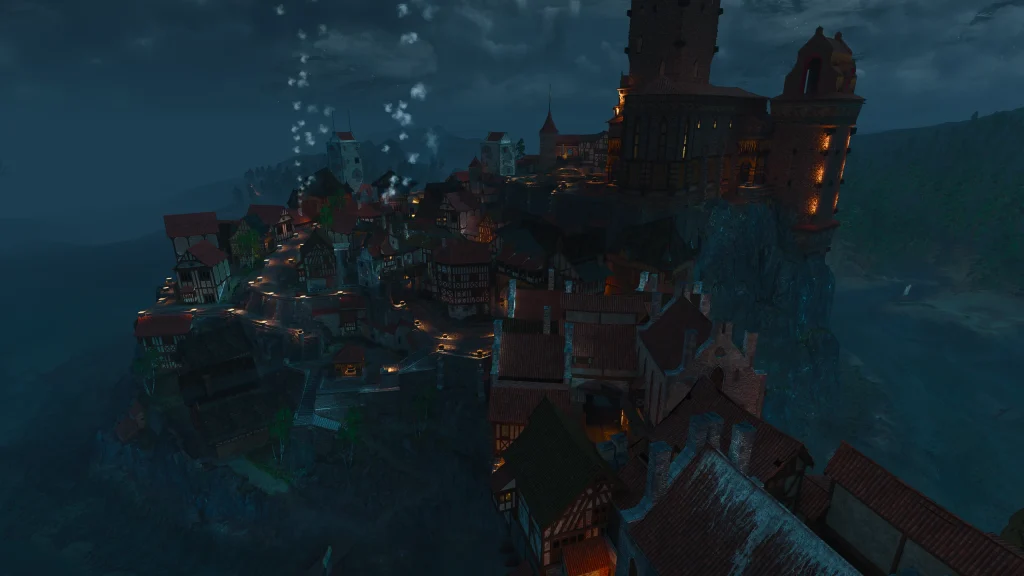
True Fire Remaster is a newer visual mod released in October 2026. It increases the level of detail and draw distance, helping distant objects and scenery look clearer while reducing distracting pop-in. It is a good option for players who enjoy travelling through the Continent and want to see more detail across the landscape. Check your system performance after installation, especially if you are using other graphics mods.
10. Economy plus Reputation System – Remastered Compatible
- Mod Type: Economy and role-playing
- Main Benefit: Changes regional currencies, prices, income, and reputation
- Best For: Players who want a more involved economy
- Remastered Support: Yes, updated for patch 5.01
This Witcher 3 mod combines an economy overhaul with the regional Reputation System. It makes currencies such as Florens and Orens useful in their respective regions, adjusts prices and income, and ties Geralt’s behaviour to how people view him. It offers a deeper role-playing experience for players who want merchants, money, and regional choices to feel more connected to the world. If you install this combined version, follow its instructions about removing the separate economy and reputation mods to avoid duplication.
11. AutoLoot Advanced Settings – NG and Remastered
- Mod Type: Looting and quality of life
- Main Benefit: Gives you more control over automatic looting
- Best For: Players who want configurable loot collection
- Remastered Support: Yes, updated for Remastered patch 5.01
AutoLoot Advanced Settings is another option if you want more control over how Geralt collects items in The Witcher 3. It offers configurable looting behaviour and settings designed to reduce repetitive interactions with containers and bodies. Choose this or Seamless AutoLoot Remastered based on the options you prefer. Do not install multiple auto-loot mods together without checking compatibility, as they may overlap or conflict.
12. Walk by Default – Next-Gen Remastered
- Mod Type: Movement and immersion
- Main Benefit: Makes Geralt walk by default instead of constantly jogging
- Best For: Slow exploration and cinematic gameplay
- Remastered Support: Listed for version 5.00
Walk by Default changes Geralt’s movement so walking feels more natural during exploration. Instead of constantly jogging through towns and quiet areas, you can move at a slower pace and sprint when needed. This is a small but useful change for players who like to explore at their own speed and want conversations, village visits, and travel to feel more grounded. Check the latest Nexus listing for the specific file and installation instructions.
13. Brothers In Arms – HD Reworked Project Compatible Patch
- Mod Type: Compatibility patch
- Main Benefit: Helps the bug-fix collection work with the HD Reworked Project
- Best For: Players installing both mods
- Remastered Support: The listed patch is tagged Next-Gen compatible, not confirmed for Remastered
If you want to use Brothers In Arms alongside the HD Reworked Project, this compatibility patch is worth checking. It is designed to help the two mods work together without conflicting changes. Check for a dedicated Remastered update before installing it.
How to Install Witcher 3 Mods
Most PC players install Witcher 3 mods through Nexus Mods, either manually or with a mod manager. Before installing anything, check the version requirements and read the instructions on the mod page.
- Check your game version: Confirm whether you are using Classic, Next-Gen, or Remastered.
- Download the correct file: Choose a version that explicitly supports your game.
- Read the requirements: Some mods need additional tools or other mods to work.
- Install carefully: Follow the author’s instructions for the mod folder, files, and any required script merges.
- Test the game: Launch it and check that the mod works before adding more.
- Back up your saves: Keep a backup before installing gameplay changes or overhauls.
If you are new to modding, start with one or two quality-of-life mods before installing bigger gameplay changes. This makes it easier to identify problems if something goes wrong.
Can You Use Mods in The Witcher 3: Wild Hunt Remastered?
Yes. The Witcher 3: Wild Hunt Remastered supports mods, but not every older mod will work with it. The Remastered version uses a newer game version, and mods may need updated files to support its scripts, menus, and gameplay systems.
For the safest experience, look for the Remastered Compatible tag on Nexus Mods and check the latest version notes. A mod labelled Next-Gen compatible may not be compatible with Remastered, even if it worked with the previous version.
Also remember that console mod support differs from PC modding. The Remastered release adds cross-platform mod support through mod.io, but only supported mods are available through the console system. A Nexus Mods download should not be assumed to work on PlayStation or Xbox.
Related Witcher 3 Guides
- How Long Is The Witcher 3
- How Old is Geralt in The Witcher 3
- The Witcher 3 Ciri Mods
- The Witcher 3 Geralt Mods
- The Witcher 3 Yennefer Mods
Best Witcher 3 Mods: FAQs
Q. What are the best Witcher 3 mods?
A. Brothers In Arms – Ultimate Edition, HD Reworked Project, Friendly HUD, and Seamless AutoLoot Remastered are strong choices. They improve bug fixes, visuals, interface options, and looting without requiring a complete gameplay overhaul.
Q. What are the best Witcher 3 mods for gameplay?
A. Trophy Necromancy, Reputation System, Tab List More Slots, and Immersive Horse Summon add new mechanics or improve existing systems. Check their compatibility notes before installing them.
Q. Are Witcher 3 mods available for Remastered?
A. Yes. Some mods have been updated specifically for The Witcher 3: Wild Hunt Remastered. Look for the Remastered Compatible tag and verify the supported game version before downloading.
Q. What is the best Witcher 3 graphics mod?
A. The Witcher 3 HD Reworked Project NextGen Edition is a well-known choice for improving textures and environmental detail. True Fire Remaster is another newer option focused on draw distance and distant scenery. Check that the version you download supports your edition of the game.
Q. Can you install multiple Witcher 3 mods at once?
A. Yes, but some mods change the same files or systems and may conflict. Read the requirements and compatibility notes, use compatibility patches when needed, and install mods one at a time to make troubleshooting easier.
Q. Do Witcher 3 mods disable achievements?
A. Modding does not automatically disable achievements in every version, but behaviour can vary by platform, mod, and game update. Check the mod instructions and back up your saves before making changes.
Q. Can you use Witcher 3 PC mods on PlayStation or Xbox?
A. Not directly. PC mods downloaded from Nexus Mods are not automatically compatible with consoles. The Remastered version supports selected cross-platform mods through mod.io, but availability depends on the mod and platform.
Q. Are Witcher 3 mods free?
A. Many Witcher 3 mods on Nexus Mods are free to download. Some mod pages may offer optional donations or other support options, but check each page for its current terms.


