

- Home
- Game points
- Apex Legends 1000 Coins (United States) (X...

Apex Legends 1000 Coins (United States) (Xbox One) - Xbox Live - Digital Key
Region: United States

platform: Xbox Live
Works on: Xbox One
Region
Platform
United States
 Driffle's choice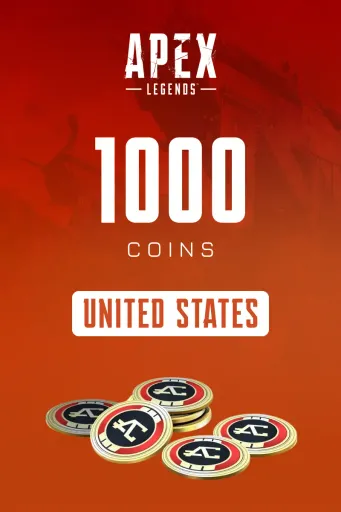
:




Product description
About Apex Legends 1000 Coins (United States) (Xbox One) - Xbox Live - Digital Key
Apex Legends Coins are the premium in-game currency used in Apex Legends to unlock a wide range of exclusive content. Purchase Battle Passes, premium Legend and weapon skins, Apex Packs, emotes, and limited-time event cosmetics to customize your experience. With Apex Coins, you can access the latest seasonal content and personalize your favorite Legends across supported platforms.
Key Features
- Official premium currency for Apex Legends.
- Purchase Battle Passes and unlock seasonal rewards.
- Buy exclusive Legend and weapon skins.
- Unlock Apex Packs for cosmetic collectibles.
- Access limited-time event items and bundles.
- Purchase emotes, banners, holosprays, and charms.
- Customize your favorite Legends with premium cosmetics.
- Compatible with supported Apex Legends platforms.
- Safe and convenient way to enhance your in-game experience.
- Ideal for players who want to unlock premium content faster.
Activation Guide
- Turn on your Xbox console and sign in to the Microsoft account linked to your Apex Legends profile.
- Open the Microsoft Store from the Home screen.
- Select Redeem from the Store menu.
- Enter your 25-character Apex Coins code and confirm the redemption.
- Once the code is successfully redeemed, launch or restart Apex Legends.
- Your Apex Coins will be automatically added to your in-game balance and are ready to use for Battle Passes, skins, Apex Packs, bundles, and other premium content.
Other details
- PublishersApex Legends
- DevelopersApex Legends
Driffle's choice:
Product description
About Apex Legends 1000 Coins (United States) (Xbox One) - Xbox Live - Digital Key
Apex Legends Coins are the premium in-game currency used in Apex Legends to unlock a wide range of exclusive content. Purchase Battle Passes, premium Legend and weapon skins, Apex Packs, emotes, and limited-time event cosmetics to customize your experience. With Apex Coins, you can access the latest seasonal content and personalize your favorite Legends across supported platforms.
Key Features
- Official premium currency for Apex Legends.
- Purchase Battle Passes and unlock seasonal rewards.
- Buy exclusive Legend and weapon skins.
- Unlock Apex Packs for cosmetic collectibles.
- Access limited-time event items and bundles.
- Purchase emotes, banners, holosprays, and charms.
- Customize your favorite Legends with premium cosmetics.
- Compatible with supported Apex Legends platforms.
- Safe and convenient way to enhance your in-game experience.
- Ideal for players who want to unlock premium content faster.
Activation Guide
- Turn on your Xbox console and sign in to the Microsoft account linked to your Apex Legends profile.
- Open the Microsoft Store from the Home screen.
- Select Redeem from the Store menu.
- Enter your 25-character Apex Coins code and confirm the redemption.
- Once the code is successfully redeemed, launch or restart Apex Legends.
- Your Apex Coins will be automatically added to your in-game balance and are ready to use for Battle Passes, skins, Apex Packs, bundles, and other premium content.
Other details
- PublishersApex Legends
- DevelopersApex Legends
Region