

Guild Wars 2 - 4000 Gems Card (Global) (PC) - NCSoft - Digital Key
地区: Global

平台: NCSoft
适用于: Windows
地区
平台
重要通知:
Base Game is required in order to redeem!
 Driffle的选择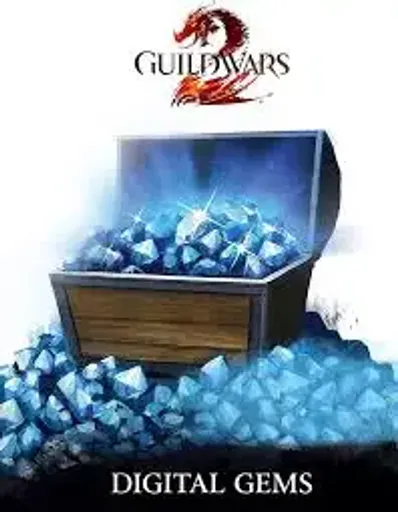
:




商品描述
Guild Wars 2 - 4000 Gems Card (Global) (PC) - NCSoft - Digital Key
Guild Wars 2 Gems for NCSoft are the official premium in-game currency for Guild Wars 2. Gems can be redeemed on your NCSoft/ArenaNet Guild Wars 2 account and used in the Black Lion Trading Company Gem Store to purchase exclusive outfits, mount skins, glider skins, account upgrades, character services, convenience items, and other premium content. Available in multiple denominations, Guild Wars 2 Gems offer a fast, secure, and convenient way to customize your adventure across Tyria. Gems are the official premium currency used in the Gem Store.
Key Features
- Official premium currency for Guild Wars 2.
- Redeem on your NCSoft/ArenaNet Guild Wars 2 account.
- Purchase exclusive outfits, mount skins, glider skins, and weapon skins.
- Unlock account upgrades, bag slots, bank tabs, and shared inventory slots.
- Buy character services such as makeover kits and name changes.
- Access boosters, gathering tools, and other convenience items.
- Available in multiple Gem denominations.
- Fast and secure digital redemption.
- Instantly added to your Guild Wars 2 account after successful redemption.
- Use Gems in the Black Lion Trading Company Gem Store for premium content.
Enhance your Guild Wars 2 experience with Gems and unlock premium cosmetics, account upgrades, and quality-of-life features available through the Gem Store. Whether you're customizing your character, expanding your account storage, or collecting exclusive seasonal items, Guild Wars 2 Gems provide the easiest way to access the game's premium.
Activation Steps
- Launch Guild Wars 2 and sign in to your NCSoft/ArenaNet account.
- Open the Black Lion Trading Company by pressing O.
- Select Redeem Code from the Gem Store.
- Enter your Guild Wars 2 Gems code and confirm the redemption.
- Your Gems will be automatically credited to your account.
- Visit the Gem Store to spend your Gems on cosmetics, account upgrades, and other premium content.
其他详情
- 发行商NCsoft
- 开发者ArenaNet Inc.
Driffle的选择:
商品描述
Guild Wars 2 - 4000 Gems Card (Global) (PC) - NCSoft - Digital Key
Guild Wars 2 Gems for NCSoft are the official premium in-game currency for Guild Wars 2. Gems can be redeemed on your NCSoft/ArenaNet Guild Wars 2 account and used in the Black Lion Trading Company Gem Store to purchase exclusive outfits, mount skins, glider skins, account upgrades, character services, convenience items, and other premium content. Available in multiple denominations, Guild Wars 2 Gems offer a fast, secure, and convenient way to customize your adventure across Tyria. Gems are the official premium currency used in the Gem Store.
Key Features
- Official premium currency for Guild Wars 2.
- Redeem on your NCSoft/ArenaNet Guild Wars 2 account.
- Purchase exclusive outfits, mount skins, glider skins, and weapon skins.
- Unlock account upgrades, bag slots, bank tabs, and shared inventory slots.
- Buy character services such as makeover kits and name changes.
- Access boosters, gathering tools, and other convenience items.
- Available in multiple Gem denominations.
- Fast and secure digital redemption.
- Instantly added to your Guild Wars 2 account after successful redemption.
- Use Gems in the Black Lion Trading Company Gem Store for premium content.
Enhance your Guild Wars 2 experience with Gems and unlock premium cosmetics, account upgrades, and quality-of-life features available through the Gem Store. Whether you're customizing your character, expanding your account storage, or collecting exclusive seasonal items, Guild Wars 2 Gems provide the easiest way to access the game's premium.
Activation Steps
- Launch Guild Wars 2 and sign in to your NCSoft/ArenaNet account.
- Open the Black Lion Trading Company by pressing O.
- Select Redeem Code from the Gem Store.
- Enter your Guild Wars 2 Gems code and confirm the redemption.
- Your Gems will be automatically credited to your account.
- Visit the Gem Store to spend your Gems on cosmetics, account upgrades, and other premium content.
其他详情
- 发行商NCsoft
- 开发者ArenaNet Inc.
地区