

AdGuard DNS Personal (Global) (PC / Mac / Android / iOS) 20 Devices 1 Month - Digital Key
地区: Global

平台: AdGuard
地区
平台
Global
 Driffle的选择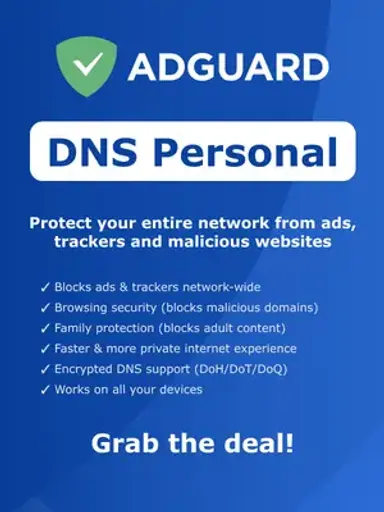
:

商品描述
AdGuard DNS Personal (Global) (PC / Mac / Android / iOS) 20 Devices 1 Month - Digital Key
AdGuard DNS Personal provides network-level protection designed to create a cleaner, safer, and more private internet experience. By filtering DNS requests, it can block ads, trackers, and malicious domains across connected devices without requiring traditional ad-blocking software on every device.
Key Features
- DNS-Level Ad Blocking: Blocks ads and unwanted advertising domains across supported connected devices.
- Tracker Protection: Helps prevent tracking and analytics domains from collecting information about online activity.
- Malware Protection: Blocks access to domains associated with malicious content and phishing threats.
- Network-Wide Filtering: Apply DNS-based protection across supported devices connected to your network.
- Centralized Dashboard: Manage devices, filtering settings, DNS configurations, and traffic from a single online dashboard.
- Custom Filtering: Create personalized allowlists, blocklists, and filtering rules to control which domains can be accessed.
- Detailed Statistics: View DNS request activity and see which requests have been blocked.
- Flexible Configuration: Configure protection for computers, smartphones, tablets, routers, and other supported devices.
- Encrypted DNS Support: Supports secure DNS protocols such as DNS-over-HTTPS, DNS-over-TLS, DNS-over-QUIC, and DNSCrypt.
Activation Guide
- Purchase the product and retrieve your digital license key from your order.
- Visit your AdGuard Account and sign in, or create an account if you do not already have one.
- Open the Licenses section and select Bind license.
- Enter the license key you received and confirm the activation.
- From the account menu, open AdGuard DNS to access your DNS dashboard.
- Configure your DNS server, filtering preferences, and protection settings according to your requirements.
- Connect your supported devices to AdGuard DNS by following the setup instructions for your operating system or network equipment.
- Once configured, your DNS traffic will be filtered according to the protection and rules you selected.
AdGuard DNS Personal makes it easier to manage online protection at the network level, combining ad blocking, tracker protection, malicious-domain filtering, and customizable DNS controls in one convenient dashboard. Set up your DNS protection and enjoy a cleaner, more controlled internet experience across your supported devices.
其他详情
- 发行商Adguard
- 开发者Adguard
Driffle的选择:
商品描述
AdGuard DNS Personal (Global) (PC / Mac / Android / iOS) 20 Devices 1 Month - Digital Key
AdGuard DNS Personal provides network-level protection designed to create a cleaner, safer, and more private internet experience. By filtering DNS requests, it can block ads, trackers, and malicious domains across connected devices without requiring traditional ad-blocking software on every device.
Key Features
- DNS-Level Ad Blocking: Blocks ads and unwanted advertising domains across supported connected devices.
- Tracker Protection: Helps prevent tracking and analytics domains from collecting information about online activity.
- Malware Protection: Blocks access to domains associated with malicious content and phishing threats.
- Network-Wide Filtering: Apply DNS-based protection across supported devices connected to your network.
- Centralized Dashboard: Manage devices, filtering settings, DNS configurations, and traffic from a single online dashboard.
- Custom Filtering: Create personalized allowlists, blocklists, and filtering rules to control which domains can be accessed.
- Detailed Statistics: View DNS request activity and see which requests have been blocked.
- Flexible Configuration: Configure protection for computers, smartphones, tablets, routers, and other supported devices.
- Encrypted DNS Support: Supports secure DNS protocols such as DNS-over-HTTPS, DNS-over-TLS, DNS-over-QUIC, and DNSCrypt.
Activation Guide
- Purchase the product and retrieve your digital license key from your order.
- Visit your AdGuard Account and sign in, or create an account if you do not already have one.
- Open the Licenses section and select Bind license.
- Enter the license key you received and confirm the activation.
- From the account menu, open AdGuard DNS to access your DNS dashboard.
- Configure your DNS server, filtering preferences, and protection settings according to your requirements.
- Connect your supported devices to AdGuard DNS by following the setup instructions for your operating system or network equipment.
- Once configured, your DNS traffic will be filtered according to the protection and rules you selected.
AdGuard DNS Personal makes it easier to manage online protection at the network level, combining ad blocking, tracker protection, malicious-domain filtering, and customizable DNS controls in one convenient dashboard. Set up your DNS protection and enjoy a cleaner, more controlled internet experience across your supported devices.
其他详情
- 发行商Adguard
- 开发者Adguard
地区