

- Tahanan
- Mga punto ng laro
- The Sims 4 - 2600 Moola (Global) (Xbox One...

The Sims 4 - 2600 Moola (Global) (Xbox One) - Xbox Live - Digital Key
Rehiyon: Global

Platforma: Xbox Live
Gumagana sa: Xbox One
Global
 Pinili ng Driffle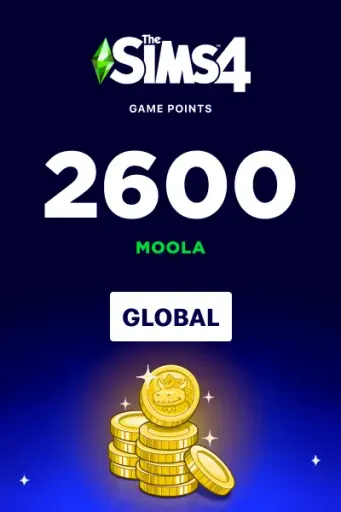
:


Rating ng nagbebenta 4.9
Rating ng nagbebenta 4.9
Paglalarawan ng produkto
Tungkol The Sims 4 - 2600 Moola (Global) (Xbox One) - Xbox Live - Digital Key
Enhance your The Sims 4 experience with Moola for Xbox Live (Xbox One). Moola is the premium in-game currency used to unlock exclusive content, customization items, and other digital features available in supported Sims experiences. Once redeemed, your Moola is added to your Xbox One account and can be used in The Sims 4 with your linked EA Account.
Key Features
- Premium currency for The Sims 4 on Xbox One.
- Designed specifically for the Xbox One platform.
- Purchase exclusive in-game content and customization items.
- Unlock additional options to personalize your Sims world.
- Access premium digital content and special offers.
- Available in multiple Moola denominations.
- Instant digital delivery for fast redemption.
- Secure redemption through your Xbox Live account.
- Requires The Sims 4, an Xbox Live account, an EA Account, and an internet connection.
- Perfect for expanding and customizing your virtual life experience on Xbox One.
Activation Guide
- Sign in to your Xbox Live account on Xbox One.
- Redeem your purchased code through the Microsoft Store if required.
- Launch The Sims 4 using the same Xbox One account.
- Ensure your EA Account is linked to your Xbox profile.
- Your Moola will be credited automatically to your in-game balance.
- If the Moola does not appear immediately, restart the game and allow a few minutes for synchronization.
Ibang detalye
- Mga TagapaglimbagElectronic Arts
- Mga DeveloperMaxis
Pinili ng Driffle:
Rating ng nagbebenta 4.9
Rating ng nagbebenta 4.9
Paglalarawan ng produkto
Tungkol The Sims 4 - 2600 Moola (Global) (Xbox One) - Xbox Live - Digital Key
Enhance your The Sims 4 experience with Moola for Xbox Live (Xbox One). Moola is the premium in-game currency used to unlock exclusive content, customization items, and other digital features available in supported Sims experiences. Once redeemed, your Moola is added to your Xbox One account and can be used in The Sims 4 with your linked EA Account.
Key Features
- Premium currency for The Sims 4 on Xbox One.
- Designed specifically for the Xbox One platform.
- Purchase exclusive in-game content and customization items.
- Unlock additional options to personalize your Sims world.
- Access premium digital content and special offers.
- Available in multiple Moola denominations.
- Instant digital delivery for fast redemption.
- Secure redemption through your Xbox Live account.
- Requires The Sims 4, an Xbox Live account, an EA Account, and an internet connection.
- Perfect for expanding and customizing your virtual life experience on Xbox One.
Activation Guide
- Sign in to your Xbox Live account on Xbox One.
- Redeem your purchased code through the Microsoft Store if required.
- Launch The Sims 4 using the same Xbox One account.
- Ensure your EA Account is linked to your Xbox profile.
- Your Moola will be credited automatically to your in-game balance.
- If the Moola does not appear immediately, restart the game and allow a few minutes for synchronization.
Ibang detalye
- Mga TagapaglimbagElectronic Arts
- Mga DeveloperMaxis