

Last updated: 1 October 2026

Mortal Shell II is almost here, and if you’re planning to jump into Cold Symmetry’s brutal souls-like sequel, it’s worth checking your PC can actually handle it before launch day. Here’s a full breakdown of the official Mortal Shell II system requirements, what they mean for your setup, and how to grab your copy without any last-minute surprises.
A Quick Look at Mortal Shell II
Mortal Shell II is a standalone sequel developed by Cold Symmetry and published by PlayStack. It builds on the dark, atmospheric combat the first game was known for, adding expanded weapon crafting, deeper upgrade paths, and a more open, interconnected world to explore. The game releases in full on August 20, 2026, for PC, with Devout Edition owners already getting a head start through Advanced Access ahead of the wider launch.
Mortal Shell II PC Requirements (Minimum)
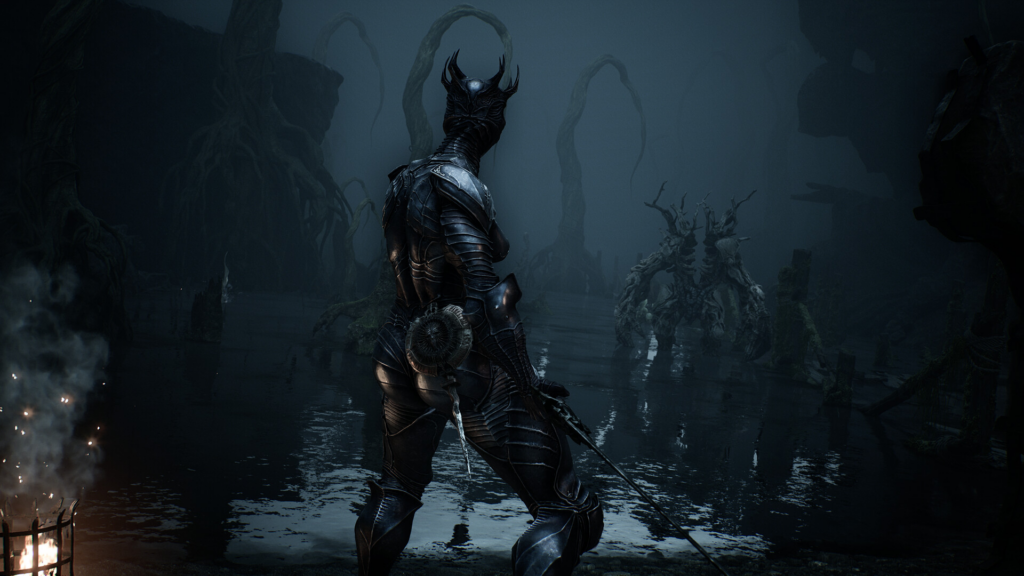
Cold Symmetry has confirmed the official minimum specifications through the game’s Steam page. Here’s exactly what you’ll need to run Mortal Shell II on PC.
| Component | Minimum Requirement |
| OS | Windows 10, 64-bit |
| Processor (Intel) | Core i7-10700K @ 3.8 GHz or better |
| Processor (AMD) | Ryzen 5 3600 @ 3.6 GHz or better |
| Memory | 16 GB RAM |
| Graphics (NVIDIA) | GeForce RTX 2060 SUPER, 8 GB VRAM |
| Graphics (AMD) | Radeon RX 6600, 8 GB VRAM |
| DirectX | Version 12 |
| Storage | 70 GB available space |
| Storage Type | SSD required |
A few things worth flagging here. Steam has not published a separate recommended specification yet, only the minimum. So if you see a list floating around claiming to show recommended specs for Mortal Shell II, treat it carefully, since Cold Symmetry and PlayStack haven’t confirmed one at this point.
Also worth noting, these numbers are noticeably higher than the specs used during the earlier Open Beta test, which asked for a lot less hardware. If you tried the beta on an older rig and it ran fine, don’t assume the full release will behave the same way. The full game’s minimum requirements jumped up significantly, especially on RAM, storage, and GPU VRAM.
Why the SSD Requirement Matters
Unlike a lot of games that simply recommend an SSD for faster load times, Mortal Shell II actually requires one to meet minimum specs. If you’re still running your games off an old mechanical hard drive, this is one of the more important upgrades to consider before launch. Beyond just install speed, an SSD helps with texture streaming and reducing hitches during exploration, which matters a lot in a game built around fast, punishing combat where a stutter at the wrong moment can cost you a fight.
Do You Need 70 GB of Free Space?
Yes, and honestly, it’s smart to leave a bit of extra breathing room beyond that number too. Day one patches, texture packs, and future updates tend to add to the install size over time, so having 80 to 90 GB free rather than cutting it exactly at 70 GB will save you a headache down the line. Also keep in mind the storage number reflects the full release, the Open Beta earlier this year only needed 30 GB, so don’t get caught off guard if you’re basing your space estimate on that older test build.
Will My PC Struggle at Minimum Specs?
Meeting the minimum requirements means the game should run, but don’t expect ultra settings or high frame rates if your PC is sitting right at that baseline. Minimum specs are built to get you playable performance, not necessarily smooth performance at higher resolutions. If your CPU or GPU is close to the minimum listed here, plan on dialing back settings like shadows, texture quality, and anti-aliasing to keep frame rates steady, especially during the game’s more chaotic combat sequences.
If you’re building or upgrading a PC specifically for Mortal Shell II, aiming a step or two above the listed minimum, especially on GPU VRAM, is a safer bet for a smoother experience overall.
How to Check If Your PC Can Run Mortal Shell II

Before you commit to a purchase, it’s worth double-checking your own hardware against the table above. Look up your CPU model, GPU model, and installed RAM in your system settings, then compare directly against the Intel or AMD requirements listed. Pay close attention to your GPU’s VRAM specifically, since both minimum graphics cards listed require a full 8 GB, and a card with less VRAM won’t cut it even if the rest of your system is solid.
Ready to Play Mortal Shell II?
Once you’ve confirmed your PC is ready for battle, it’s time to gear up for real. You can grab your copy of Mortal Shell II on Driffle with verified sellers, prices that beat retail, and instant digital delivery straight to your account. Here you dont have to wait, just a fast, secure way to get into the game the moment it drops on August 20. Check your specs, lock in your copy on Driffle, and get ready to descend into the fractured world of Mortal Shell II.


