Visa Cards are used by over 4 billion people worldwide! The origins of Visa go back to 1958, when Bank of America introduced the first broadly available consumer credit card under the name BankAmericard. They grew super popular and are known for their easy, secure, and widely accepted payment system. As Visa gift cards became more prominent, they quickly turned into a go-to option for oneself or for simple and flexible gifting. People loved them because they worked almost everywhere, giving the receiver total freedom to choose what they really wanted. They are the most used on Amazon, the popular online shopping platform. Let’s learn more about how to use Visa Gift Card on Amazon.

About Visa Gift Cards
Visa gift cards are quite simple to use, and they function just like normal debit cards which makes them very suitable for fast online shopping. After Add a Visa gift cards are very convenient as they are accepted almost everywhere, just like regular debit cards, including Amazon. They are prepaid, user-friendly, and awesome for making fast online purchases without revealing your personal bank details. Since Amazon treats them like regular payment cards, you can use the balance to pay for items just like you would with any other card. This makes Visa gift cards an uncomplicated and versatile option for gifting or controlling your own spending while shopping on Amazon.
How to Use Visa Gift Card on Amazon
This is how to use a Visa Gift Card on Amazon.
1. Go to Amazon.com and add the items you want to your cart.

2. Open your Cart and click Proceed to checkout.
3. In the Payment method section, tap Change.
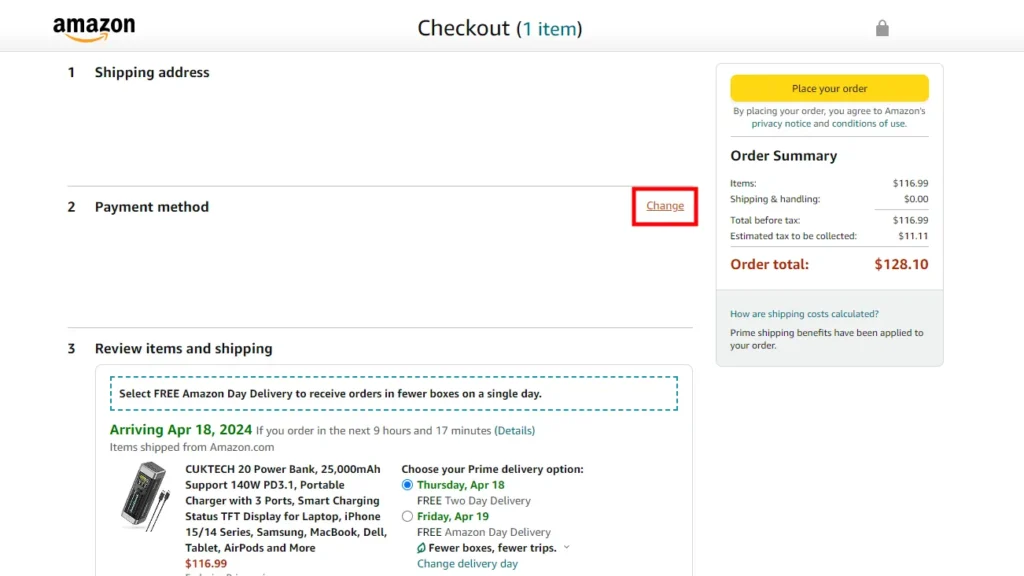
4. Choose Add a credit or debit card.
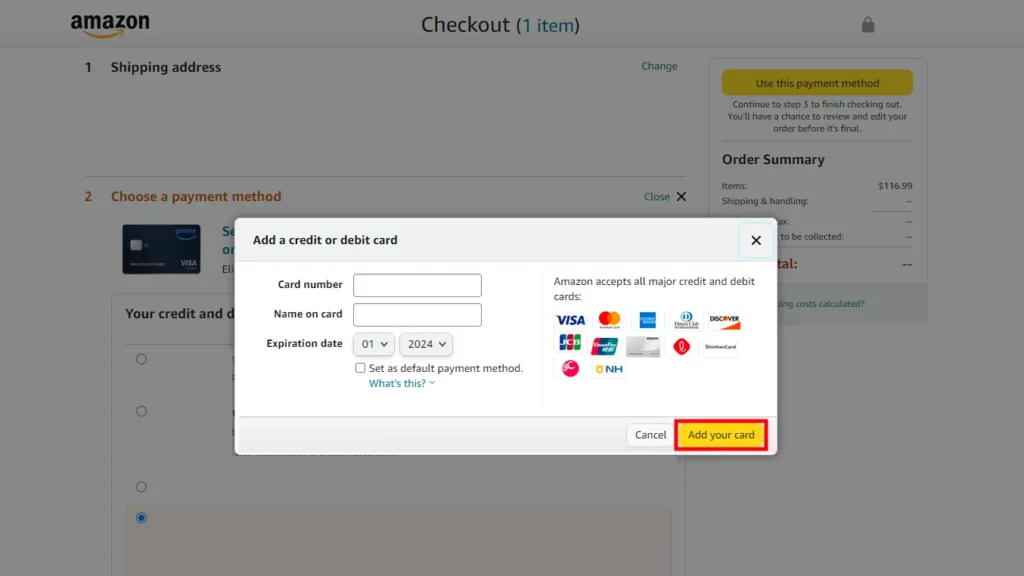
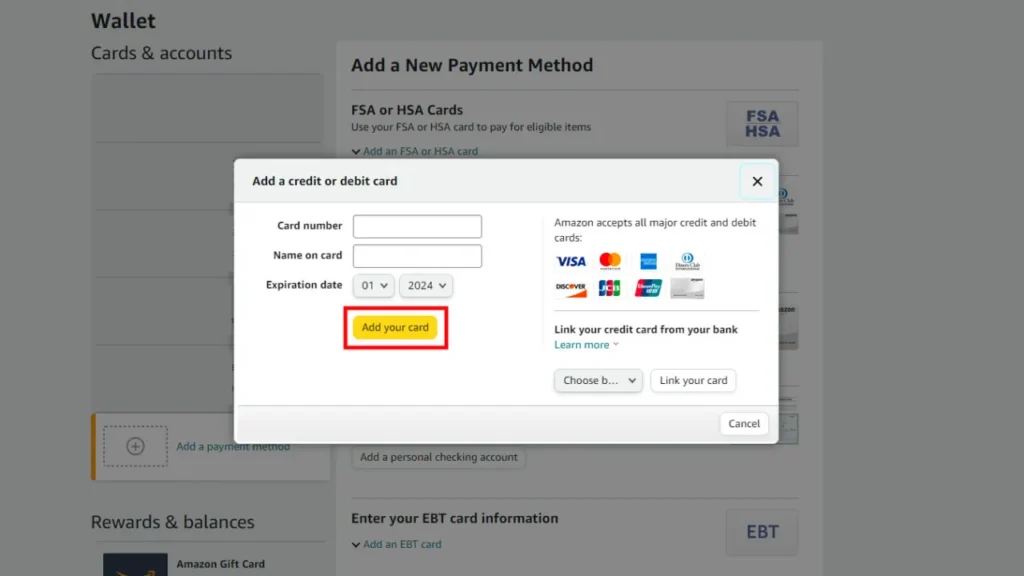
5. Type in the card details and click Add your card.
6. Complete the checkout to finish your order.
How to Add Visa Gift Card to Amazon
1. Go to Amazon.com and sign in to your account if you aren’t already.
2. Move your cursor over Accounts & Lists at the top.
3. Click on Account.
4. Open Your Payments.
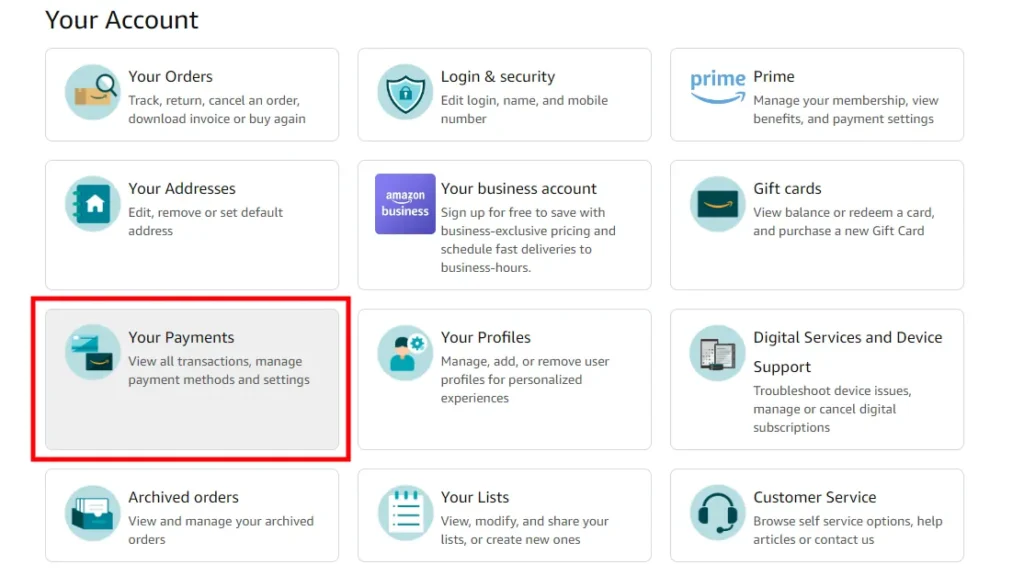
5. Click Add a payment method.
6. Choose Add a credit or debit card.
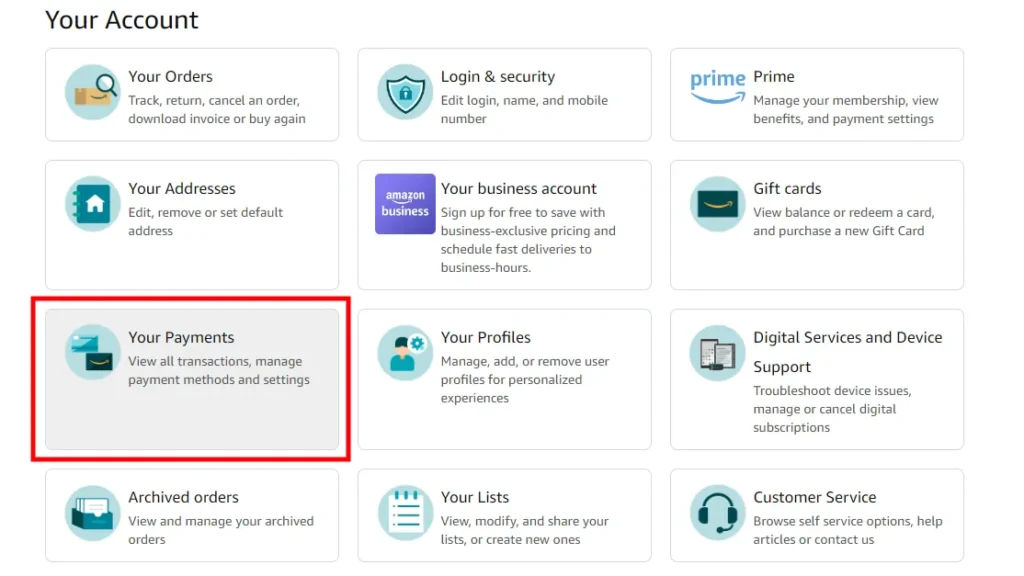
7. Enter your card details and select Add your card.
Uses of Visa Gift Cards on Amazon
Visa Gift Cards allow you to purchase any product you like, quickly and easily.
- Buying Any Product You Like: Amazon gives you the opportunity to buy anything among millions of items using a Visa gift card. Payment for such items ranges from technical and home essentials through clothes and books to daily-use products. As Amazon permits cards, your Visa gift card operates as a normal payment.
- Quick and Easy Checkout: By means of a Add Visa gift card to Amazon, you can make payments quickly and easily without the need to add your bank card. This is fantastic if you want a hassle-free checkout with no extra steps or your banking information.
- Perfect for Gifting: When a Visa gift card is gifted to you, the Amazon store is a place where you can easily spend it. It is advantageous for the reason that Amazon has almost everything and thus, you can choose what you really want.
- Great for Budgeting: A Visa gift card for Amazon helps you cut down on your spending. It has a fixed limit, and thus, you can only use what is available on the card. This eliminates the chances of going beyond limits and keeps your shopping simple.
- Ideal for Small Purchases: Is there a small amount remaining on your card? If so, then using the remaining balance on cheap items such as accessories, snacks, digital products or add-on items through Amazon is the best choice.
- Safe Shopping Option: A use of Visa gift card is a safer shopping option because it gives you the privacy of not being connected to your personal bank account.
- Useful for Deals and Sales: A Visa gift card at times of massive Amazon sales means you can pick the discounts, lightning deals and limited-time offers without worrying about payment problems.
Get Visa Gift Cards on Driffle
It is very easy to get Visa gift cards on Driffle and then enjoy secure payments as per your convenience. Driffle guarantees rapid delivery, hassle-free payment, and reliable service, so you can purchase a Visa gift card over the internet without going through any trouble. These cards are ideal for presents, online shopping, or controlling your expenses with a predefined amount. Thanks to Driffle’s clean design and speedy procedure, obtaining a Visa gift card turns into an easy, secure, and worry-free experience, and is ready for use in your favorite stores, including the major ones like Amazon. Now that you know how to use a Visa Gift Card on Amazon and how to add Visa Gift Card to Amazon, you can start shopping!