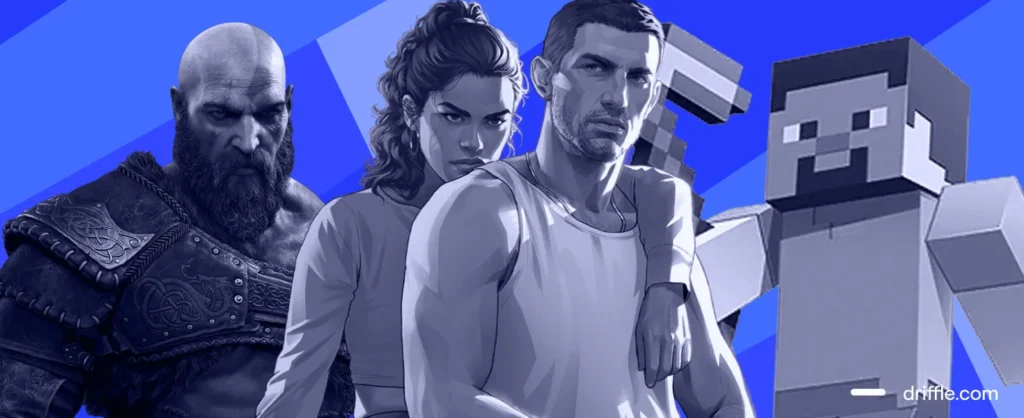
Get ready to level up your Netflix subscription with big-screen gaming, a gateway to a diverse library of over 100 titles perfect for solo quests or epic multiplayer sessions with friends and family, from competitive party games to timeless arcade classics. Best of all, you already own everything needed. This complete guide covers every step, explaining how to play Netflix games on TV, connect your mobile device as a controller, and other important points to remember. Let’s dive in.

Netflix Games
Netflix Games offers Netflix subscribers unlimited access to over 120 exclusive mobile titles with no ads, extra fees, or in-app purchases. These games download directly from the App Store or Google Play and sync progress via Netflix profiles across devices, such as Android phones and tablets, as well as iPhone, iPad, and iPod touch. The service, launched in 2021, has grown significantly, now including high-profile ports like Hades, Dead Cells, WWE, and titles tied to Netflix shows.

How to Play Netflix Games on TV?
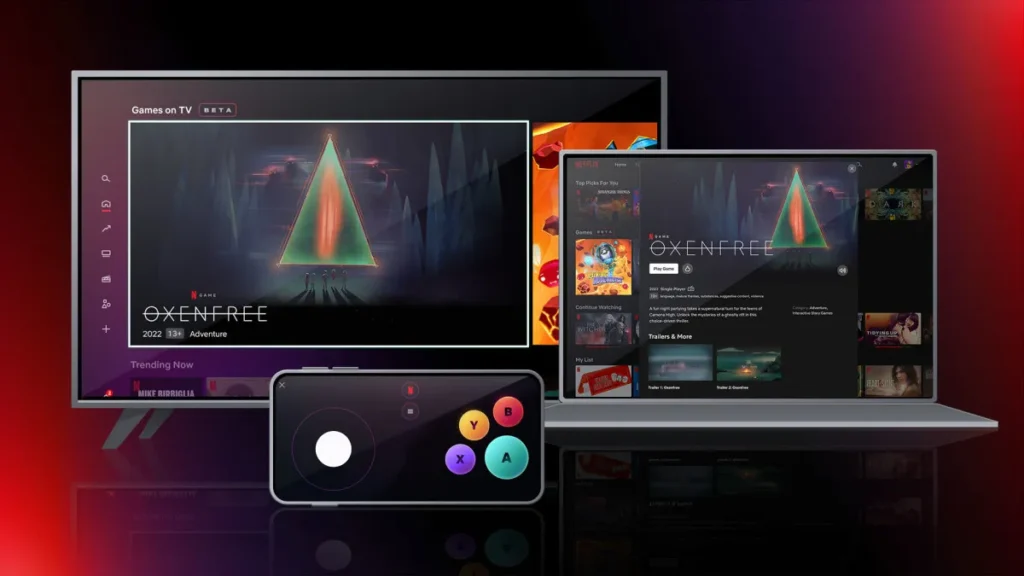
Netflix Games can only be played on compatible smart TVs and streaming devices using your phone or tablet as a controller. You don’t need any extra hardware like a console or controller. This feature works with a standard Netflix subscription on supported devices. Follow these simple steps to get started.
- Check Device Compatibility: Ensure your TV or streaming device supports Netflix Games, such as Samsung TVs, LG TVs, Roku, Amazon Fire TV, Google Chromecast with Google TV, Nvidia Shield, or Xumo. Log in with the same Netflix account on both your TV and mobile device.
- Open Netflix on TV: Launch the Netflix app on your smart TV. And scroll to the “Games” section in the home menu or top navigation, if visible, your device is ready. Browse and select a game you want to play, then tap the “Play Game” button.
- Connect Phone as Controller: A QR code appears on the TV screen. Do not close it. Follow the steps mentioned below as per your device.
- Start Playing: Your phone screen shows controls while the game runs on TV. Supports solo or multiplayer (up to 8 players in some titles) with no ads or extra fees.
To exit, press the Netflix button on your phone controller and select “Exit Game,” or use the TV remote back button.

Note: Ensure the same Wi-Fi network and Netflix account on devices. Just restart the app if the connection fails. Games may be unavailable during maintenance, so you can try later. Moreover, not all mobile games work on TV; a larger library is available directly on phones.
How do I use my mobile device as a controller?
Using your mobile device (either a smartphone or a tablet) as a controller to play games on Netflix is easy. Just follow these simple steps:

On Android
- Pick a game and tap “Play Game.”
- Open your phone’s camera. Scan the QR code on the TV.
- Tap the link that pops up. Get the Netflix app if you need it.
- Scan the QR code again.
- Your phone connects as a controller.
- Play!
On iPhone or iPad
- Pick a game and tap “Play Game.”
- Open your phone or tablet’s camera. Scan the QR code on the TV.
- Open the Netflix controller screen on your device.
- It pairs with the TV, and the game starts.
Basic Requirements for Running Netflix Games on TV
You’ll need a compatible device that is one of the following:
- A compatible gadget: Android phone or tablet with at least Android 8.0 or above, or iPhone, iPad, iPod touch with at least iOS 15 or above.
- Active Netflix account (any plan works, but some games need Standard or Premium).
- A steady internet connection is required to download games.
- Free storage space on your device (check this in your settings, as games can be 100MB+).
- A Bluetooth controller recommended (like an Xbox, PlayStation, or phone gamepad) for better TV play; most games support it. You can also use your phone as a controller.
- TV with screen mirroring or casting: Use Chromecast, AirPlay (for Apple devices), or Smart View (Samsung) to beam from your phone/ tablet to the big screen.
- Update the Netflix app on your device for the latest game library.
Family Netflix Games to Play on TV
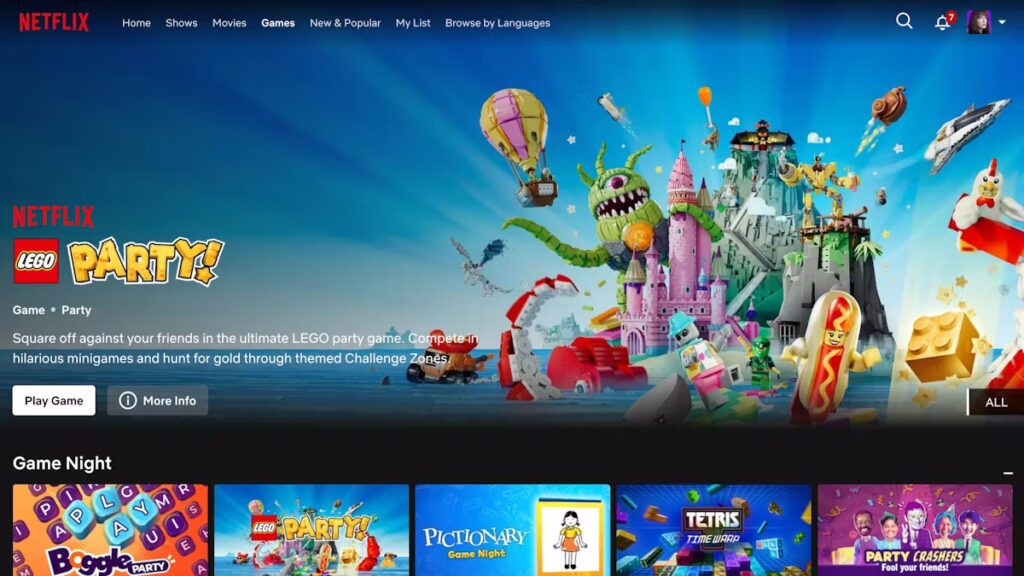
Netflix also offers five new party games for group play on TV, including LEGO Party!, Boggle Party, Pictionary: Game Night, Tetris Time Warp, and Party Crashers: Fool Your Friends. These games support multiple players using smartphones as controllers. Each provides simple, fun multiplayer action tailored for friends and family. Let’s take a closer look at them.

Boggle Party
Boggle Party takes the classic word-search game with a twist for multiplayer fun. It supports up to eight players racing the clock to spot words in a scrambled letter grid. Shake the virtual grid to jumble letters, then race friends to spot and link three-letter-plus words before time runs out. It’s a great game for quick, brain-teasing rounds and couch parties on any device.
Pictionary: Game Night
Pictionary: Game Night is for 2 to 10 players, where one player draws a secret word on their phone, which is then shown on TV. Others guess fast to score points before time runs out. Quick and correct guesses earn more, with the highest score winning after rounds. It brings hilarious fails and wins across teams.
Tetris Time Warp
Tetris Time Warp mixes classic block-stacking with time-travel chaos. It lets up to four players stack blocks and compete for top scores across Tetris eras from 1984 to Game Boy. A special Time Warp piece sends players to timed historical challenges, making them drop Tetris pieces through different eras, unlocking power-ups and battling opponents in warp-speed modes, nostalgic yet fresh for solo or competitive play.
Party Crashers: Fool Your Friends
Party Crashers: Fool Your Friends is a deception party game with three to six players where one secret crasher lacks the topic knowledge others have. Players give clues; the group spots the bluffer’s odd responses. The crasher blends in or gets voted out.
LEGO Party!
LEGO Party! is a fun party game that lets up to four players compete on themed boards like Ninjago or Pirates. Players roll to move, hit traps or shortcuts, and play over 60 minigames such as racing on unicycles or jumping tentacles. The goal is to collect the most gold bricks through challenges and bonus rounds. It’s perfect for family game nights with simple controls and tons of creativity.
Important Points to Remember
- Some Netflix Games might have additional requirements that are displayed in the game’s app page.
- Netflix games aren’t available for Kids profiles.
- Saved progress or data from prior versions of the game cannot be transferred to the Netflix version of a game.
- Leaderboards and achievements reset periodically with major updates to ensure fairness.
- Up to six household members can access games, but simultaneous play on multiple devices counts toward streaming limits.

- Offline play is supported after download, but initial install and cloud saves need internet.
- There are no in-app purchases or ads; all content is fully unlocked for subscribers.
- Multiplayer features vary by the game. They can be both multiplayer and single-player focused.
- The Netflix gaming feature isn’t available everywhere or on every device yet.
- Games work in these countries: the US, Canada, UK, Spain, Mexico, France, Italy, Poland, the Netherlands, Sweden, Belgium, Switzerland, Austria, Ireland, Finland, Germany, South Africa, Australia, and New Zealand, on select devices.
- More places will be added over time. If you see “Games” at the top of the menu on your TV or Netflix.com, it means your device supports it.
Other Netflix Mobile Games
Here are some other Netflix mobile games that you can enjoy with your subscription, on your phone or television:

- Dead Cells: Netflix Edition
- Into the Dead 2: Unleashed
- Sonic Mania Plus
- Street Fighter IV CE
- Red Dead Redemption
- Stranger Things: 1984
- Stranger Things 3: The Game
- Tomb Raider Reloaded
- WWE 2K25: Netflix Edition
- HELLO KITTY AND FRIENDS: HAPPINESS PARADE
- Pinball Masters
- Sonic Prime Dash
- TMNT: Shredder’s Revenge
- Heads Up! Netflix Edition
- Asphalt Xtreme
- Dungeon Boss: Respawned
- TRANSFORMERS Forged to Fight
- Civilization VI
- Netflix Stories: Emily in Paris
- Farming Simulator 23
- Football Manager 2026 Mobile
- Narcos: Cartel Wars Unlimited

Summary
So now you know how to play Netflix games on your television. With a vast library of over 100 games, you’ll never get bored. Play solo adventures or team up with your friends, just use your mobile phone as a controller and start playing from the comfort of your couch on the big screen, without needing any console or other hardware. Just you, your favourite games, and a whole lot of quality time.

Which Netflix game do you like to play on your television? Let us know in the comments below. And for more gaming news, guides, codes, tips, tricks, and more, don’t forget to check out Driffle Blog.