

Amazon, one of the most popular online shopping platforms, is used by over 300 million users. They’re also popular for their gift cards, which surely make our lives easier by giving us a variety of shopping experiences, making payments easier, providing great gifting options, and so much more.
They are easy to use, are available in various amounts, and never expire. With an Amazon gift card, you can shop stress-free without needing a credit or debit card. It’s also a great way to set a spending limit and manage your budget. You can also easily keep track of your gift card balance and always know the amount available for spending. Let’s learn more about Amazon gift cards and how to check Amazon gift card balance.
About Amazon Gift Cards
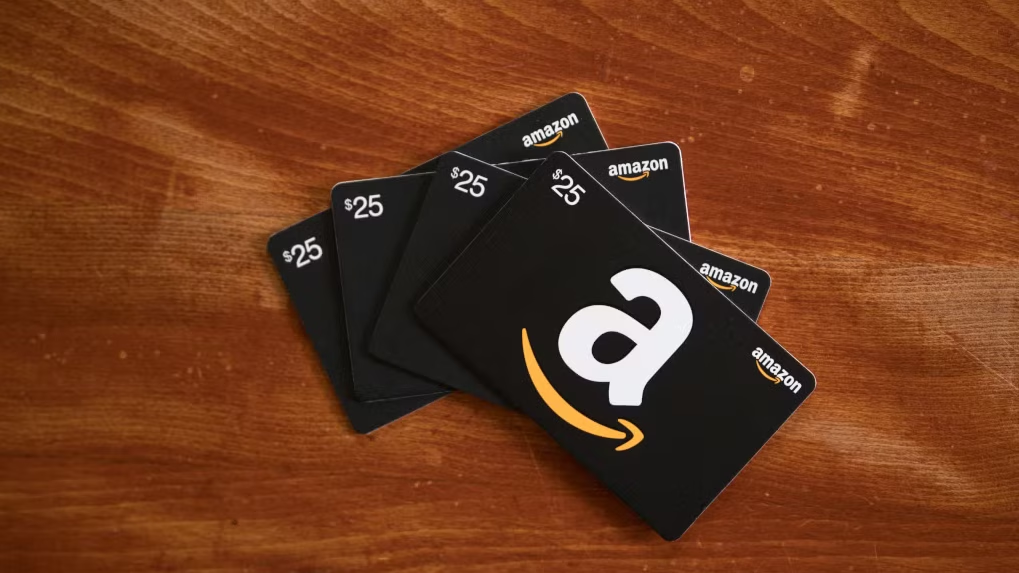
Amazon Gift Cards are digital or physical gift cards with money loaded into them that you can use on Amazon. You may buy them for yourself or give them as a gift to someone. The card recipient can use the card to buy whatever they desire from Amazon, such as clothing, gadgets, books, or household supplies. Every card has a unique code that you enter when you pay for your order. You can choose how much you want to load the card, e.g., $10, $50, etc. Amazon Gift Cards never expire, and you can use them whenever you want. They’re an easy and convenient method of giving a gift when you don’t know what to buy.
What is Amazon Gift Card Balance?
An Amazon Gift Card Balance is the total sum of money you’ve got in your Amazon account through gift cards that have been redeemed. With this balance, you can purchase any product available on Amazon, such as electronic devices, novels, fashion items, or even digital products. It is similar to having a mini wallet in your Amazon account. Whenever you buy something, Amazon will take the gift card balance first and then charge your credit card or any other payment method you selected automatically.
Your current balance can be accessed at any time in your Amazon account settings. The balance never expires, so you can spend it at any time convenient for you. It’s super handy for online shopping without needing your debit or credit card. You can also add more gift cards to your account to increase your balance and use them together to purchase stuff. In short, it’s an easy and safe way to shop on Amazon without any waiting or hassle.
How to check Amazon Gift Card balance?
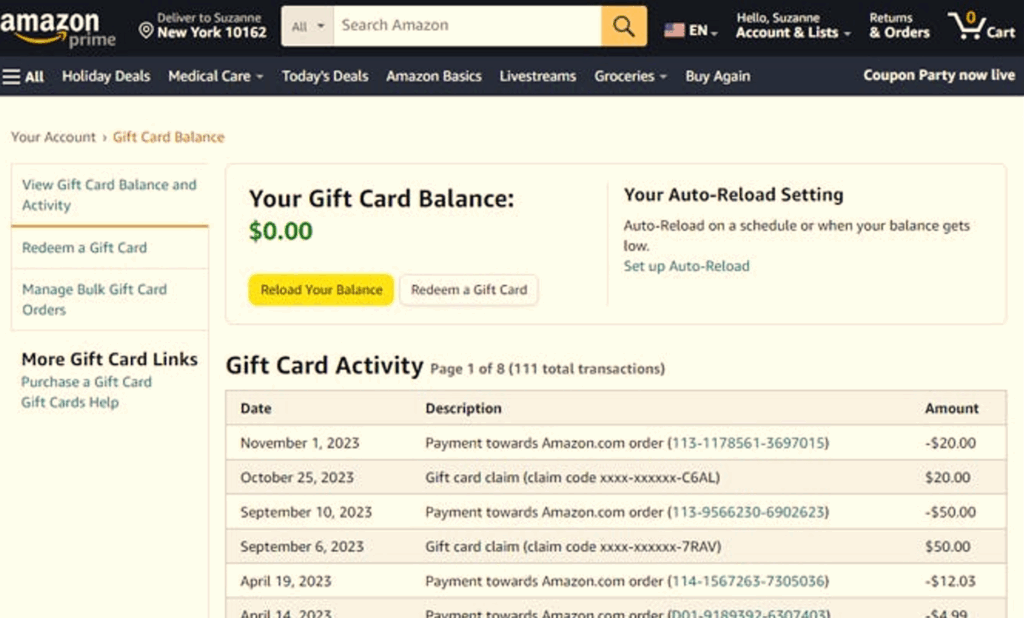
Here’s how to check Amazon Gift Card balance. Just go to your Amazon account, sign in, and follow these steps.
On the Website:
1. Go to Amazon.com and sign in.

2. Hover over Accounts & Lists and click Gift Cards.

3. Your current gift card balance will be displayed at the top of the page.
On the App:
- Open the Amazon app and sign in.
- Tap the menu icon.
- Tap Gift Cards & Registry, then Manage Gift Card Balance.
- Your balance will appear on the screen.
Where can you use Amazon Gift Card Balance?
An Amazon gift card balance can be used for shopping for books, clothes, electronics, games, and some digital services.
- Amazon Website: There’s a lot of stuff you can buy on the Amazon website with the gift card balance, like electronics, outfits, furniture, and more.
- Amazon App: You can also use the balance on the mobile app of Amazon, so you can shop from your mobile as well.
- Books and eBooks: You can also grab physical books or Kindle eBooks.
- Electronics: You can buy gadgets, phones, headphones, or other devices too.
- Clothes and Shoes: Clothes, shoes, and accessories can also be purchased from Amazon.
- Home and Kitchen Basics: Use the card balance to buy crockery, furniture, decor, or kitchen appliances.
- Toys and Games: You can also buy toys, board games, or video games.
- Digital Content: You can use it for buying Amazon Prime membership, music, or a video subscription.
- Daily Essentials and Groceries: Some groceries and daily essentials on Amazon can also be purchased using the Amazon gift card balance.
Tips for using Amazon Gift Card Balance safely
Remember to follow these tips when using your Amazon gift card online.
- Use Only on Amazon: Redeem your gift card only on the official Amazon website or app.
- Keep Codes Private: Never share your gift card code with anyone.
- Avoid Scams: Don’t click on suspicious links or messages about gift cards.
- Check the Website URL: Make sure the site starts with https://www.amazon.com before entering your code.
- Don’t Pay Strangers: Never use gift cards for fake “tech support” or unknown people.
- Secure Your Account: Use a strong and unique password for your Amazon account.
- Enable Two-Step Verification: Add an extra layer of security to protect your balance.
- Monitor Your Balance: Check your gift card balance regularly for any strange activity.
- Keep Receipts Safe: Save your gift card receipts until you’ve used up the full amount.
- Report Problems Fast: Contact Amazon Support immediately if your balance is missing or misused.
Summary
Amazon is very popular when it comes to purchasing all kinds of products like electronics, apparel, footwear, crockery, and other everyday items. Buyers like to shop there because it is easy to find everything on one platform, compare prices, and then go ahead with the purchase. You can also use multiple gift cards together until the entire amount is spent. Any remaining balance stays in your account for future purchases. You can reload certain Amazon gift cards and use them as required. You can find authentic Amazon gift cards on Driffle, which are great for personal purchases or for gifting purposes.
Get your Amazon Gift Cards on Driffle now!


