

Adding friends in Animal Crossing: New Horizons might seem a little confusing when you’re just starting, but once you understand how it works, it’s actually pretty simple. The process isn’t difficult, but it does take a few steps to get right. In Animal Crossing, the option to add friends opens up from your second day in the game. You’ll first need to invite visitors to your island, and only after that can you officially add them as friends. Once everything’s set up, playing and sharing experiences with friends becomes one of the best parts of the game. This guide provides a simple explanation of how to add friends on Animal Crossing: New Horizons, using different methods in easy-to-follow steps. Let’s dive in.

What can you do with friends in ACNH?
In Animal Crossing: New Horizons (ACNH), friends let you team up for fun island visits and share. Meanwhile, regular friends may have some limits, but Best Friends unlock extra tools and perks for better play. You can enjoy the following with your friends in ACNH:
- Visit a friend’s island online to walk around, see their setups, and chat while playing normally.
- Talk to each other’s villagers, observe their daily routines, and join in casual island life without making significant changes.
- Shop at each other’s stores, such as Nook’s Cranny or Able Sisters, and freely buy or sell items during visits.
- Pick fruit from trees and flowers from the ground on a friend’s island. Both friends and Best Friends can do this easily.
- Catch bugs and fish anywhere on their island. You can also keep what you catch (it goes to your Recycle Box later).
- Pick up loose items, such as shells, weeds, or other debris lying on the ground without asking.

- As Best Friends only, use your shovel to dig up whole fruit trees and take them home to plant all fruit types on your island.
- Best Friends can also dig for fossils on each other’s islands to help fill your museum faster.
- Drop items on the ground during visits to trade or gift them directly.
- Buy gifts through Nook Shopping at Resident Services’ Nook Stop and mail them to friends instantly, even with special gift cards.
- As Best Friends, send quick direct messages via the Best Friends List app on your Nook Phone if they’re online.
- Check if Best Friends are online at a particular moment through the app, unlike regular friends.
- Best Friends get full tool access, like axes to chop trees or strike rocks for ore, so pick trusted players to avoid messes.
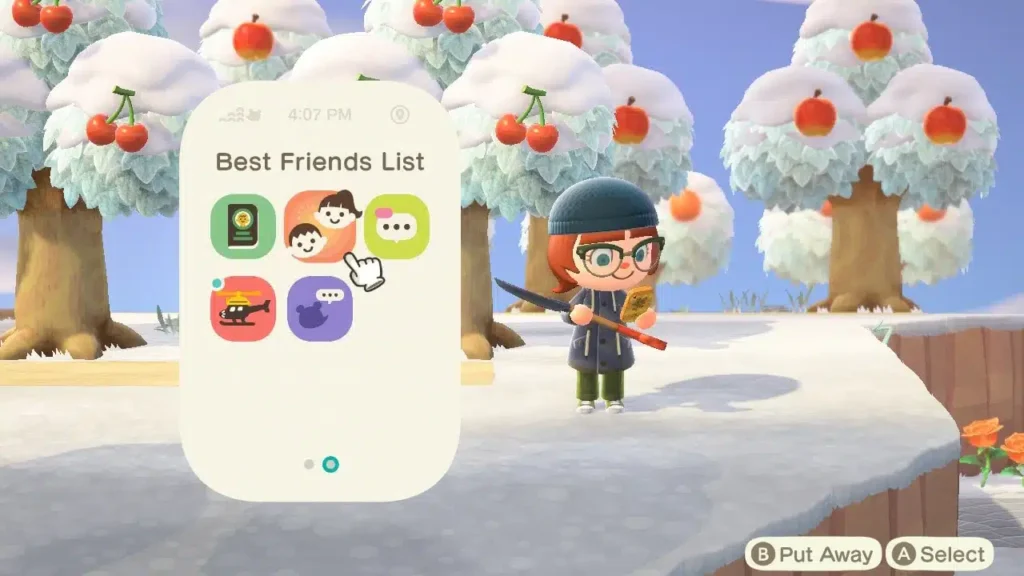
How to Add Friends on Animal Crossing: New Horizons?
To add friends in Animal Crossing: New Horizons, start by connecting on Nintendo Switch Online, then play together once to unlock in-game lists. Just follow these simple steps:
Step 1: Add on Nintendo Switch
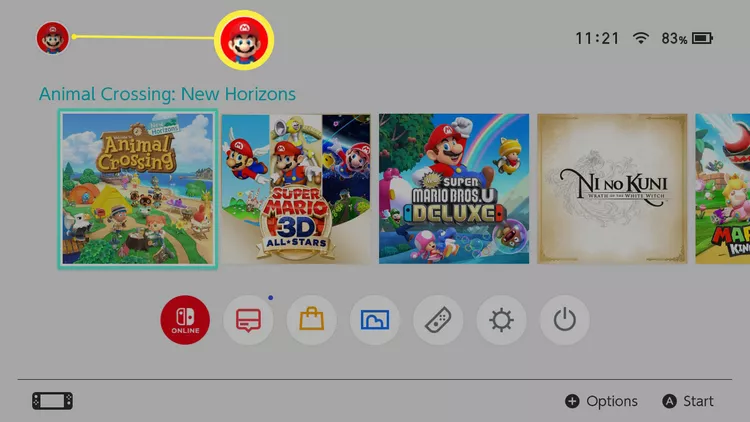
- Tap your profile icon on the Switch home screen.
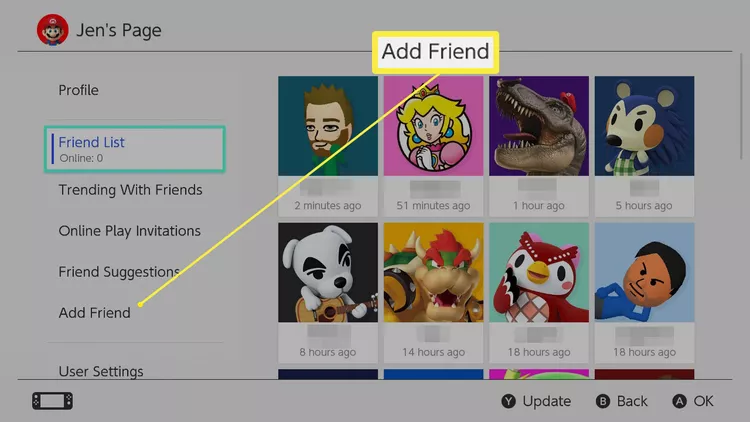
- Select “Add Friend,” then “Search with Friend Code.”
- Enter their 12-digit code (SW-XXXX-XXXX-XX), send the request, and wait for acceptance.
Step 2: Open Island Gates
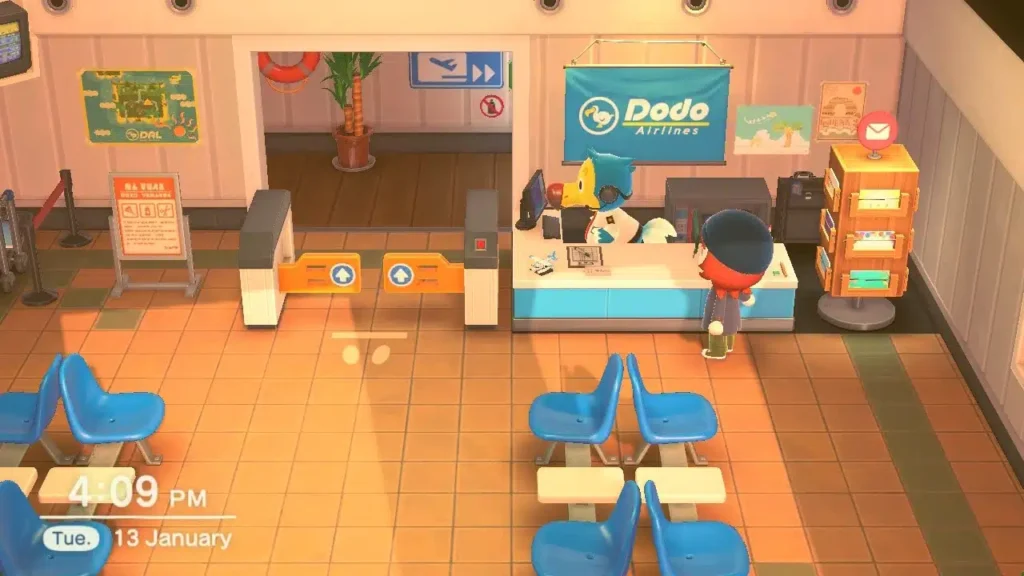
- In ACNH, go to the airportand then talk to Orville.
- Choose “I Want Visitors” > Online Play > “All my friends” or Dodo Code.
Step 3: Play Together Once
- Visitor selects “I Wanna Fly” > Search for friend or enter Dodo Code.
- Visit, chat, trade, unlocks Best Friends app on the Nook Phone.
Step 4: Become Best Friends
- Press ZL for Nook Phone, open Best Friends List.
- Pick their name, tap “Ask to Be Best Friends,” wait for acceptance.
How To Invite Friends To Your Island?
To invite friends to your island in Animal Crossing: New Horizons, you can follow any of the following:
Invite Friends Easily
- Talk to Orville at the airport and say you want visitors to come over.
- Pick local players nearby or people online from anywhere.
- Choose if all friends can visit or just your Best Friends only.
- Orville opens your island gates right away for them to join.
- When done, tell Orville to close the gates to end visits safely.
Use Dodo Code Option
- Select the Dodo Code choice to invite anyone, even non-friends.
- Orville gives you a random 5-letter code like “ABC12.”
- Share the code by text, chat, or any other way you like.
- Others enter the code at their airport to fly to your island.
- Code stops working once gates close, keeping things safe.
How to Add Friends on Animal Crossing Once They’ve Visited You?
Once someone visits your island in Animal Crossing: New Horizons, add them as a Nintendo Switch friend first (using steps from before). Then make them a Best Friend for full island access, like cutting trees or taking items.
- In the game, press ZL to open your Nook Phone.
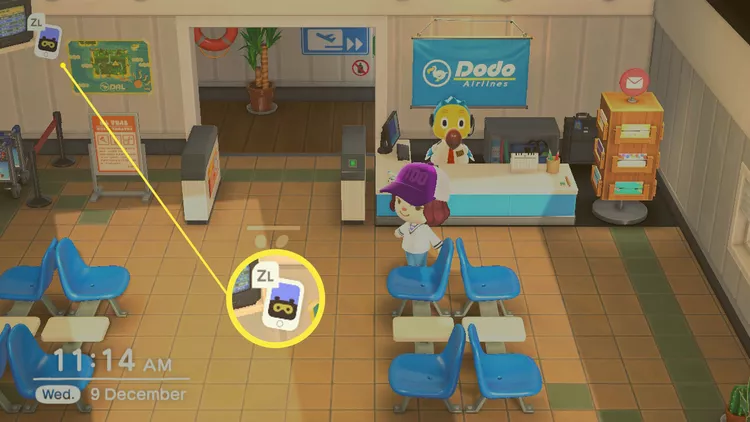
- Tap the Best Friends List app.
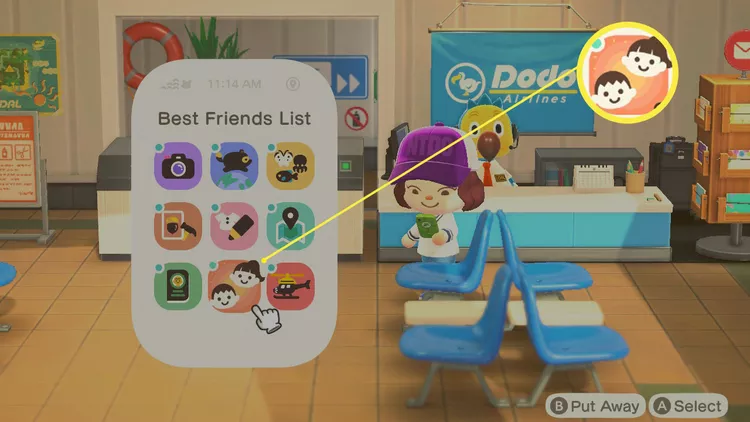
- Pick their name from the list of recent visitors.
- Select “Ask to Be Best Friends.”
- Wait for them to accept on their side.
- Now they get full tools on your island, and you can message each other anytime.
How to Add Friends on Animal Crossing Through the Nintendo Switch?
To add someone as a Switch friend before playing Animal Crossing, use their friend code or search options. Implementing these requires Nintendo Switch Online. Here’s how you can do this in easy steps.
- On your Switch home screen, tap your user picture at the top.
- Pick “Add Friend” from the menu.
- Choose “Search with Friend Code.”
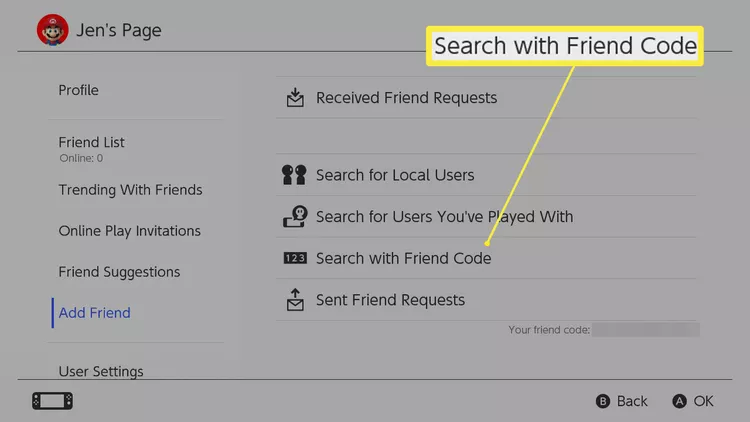
- Type in your friend’s 12-digit code (like SW-XXXX-XXXX-XX).
- Or tap “Friend Suggestions” if your Switch links to social media to find matches.
- Hit send on the request and wait for them to say yes.
- Once added, invite them right in Animal Crossing at the airport.
Summary
So now you know how to add friends on Animal Crossing: New Horizons. Once you know how it works, it’s easy to invite players, visit their islands, and share cute moments. You can meet friends online, through local play, or by using Dodo Codes to welcome new visitors. After playing together, you can become Best Friends, which gives extra features like sending messages, digging up trees, or exchanging gifts anytime.
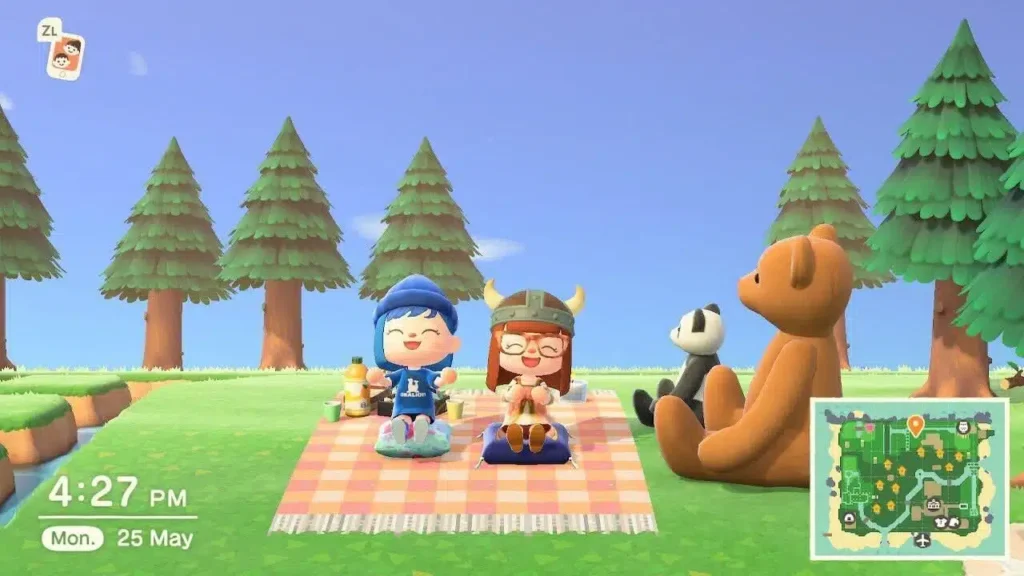
How many friends do you have on Animal Crossing: New Horizons? Let us know in the comments below. And for more gaming news, guides, tips, tricks, codes, and more, don’t forget to check out Driffle Blog.


